ID Card Copy Maker
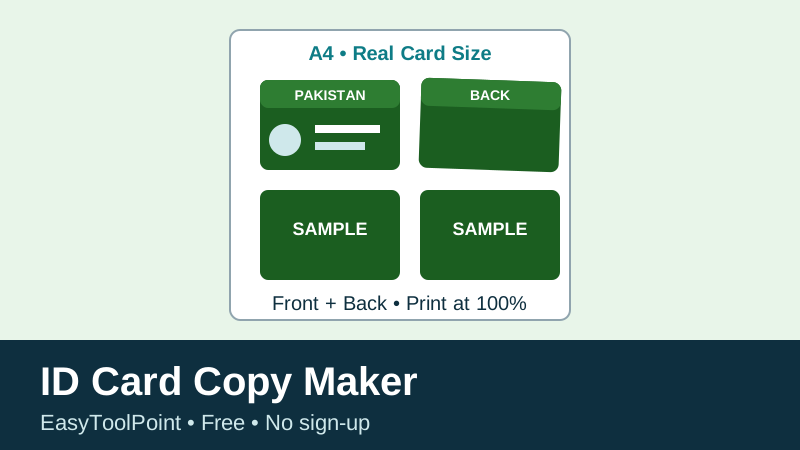
Card size: 85.6 mm x 53.98 mm — the standard ID-1 / Pakistani CNIC card size. Page size: A4, 210 mm x 297 mm, portrait. Cards are printed at real size, never shrunk to fit more on a page.
Preview below is scaled to fit your screen only. The PDF and the printout use the real sizes above.
Preview — A4 sheet (scaled for screen)
How to use this tool
1. Take a clear photo. Lay the card flat on a plain, well-lit surface, hold the phone straight above it, and keep the whole card inside the photo with a small margin around it. Avoid shadows, glare, and tilted angles. Take the front and the back the same way, so both photos look alike on the sheet.
2. Upload and choose. Upload the front photo, and the back photo if you need it. Choose Front only, Back only, or Front + Back pairs. In pair mode, each row has the front on the left and the back on the right, which is how photocopy shops usually arrange a card copy.
3. Check the preview. The preview shows the A4 sheet as it will print, but scaled down to fit your screen. Count the cards, check that front and back are in the right order, and check the page count shown above the preview. If you asked for more than fits on one page, the tool makes extra pages instead of shrinking your cards.
4. Download or print at 100%. Download the PDF, or use Print and set your printer to 100% scale / Actual Size, with margins set to None if your printer offers that. Do not use “Fit to Page” or “Shrink to fit” — those options change the size, and your printed card will no longer be 85.6 x 53.98 mm. After printing, measure one card with a ruler if you need an exact copy: it should be about 85.6 mm wide and 54 mm tall.
5. Cut carefully. Cut along the dashed guides with a ruler and a sharp cutter or scissors. Keep the printed sheet safe and shred any extra or spoiled copies, because they show your ID details.
Default layout
Front only or Back only: 8 cards per A4 page — 2 columns x 4 rows, with a 10 mm page margin and a 5 mm gap between cards. Front + Back pairs: 4 pairs per A4 page — one pair per row, front and back side by side, with the same 10 mm margin and 5 mm gap. If you enter more than that, you will get a second (or third) A4 page in the PDF and in print. The tool never shrinks a card below real size to squeeze more onto one page.
FAQs
Does this tool edit or make a new ID card? No. It does not change any text, photo, number, or detail on your card. It only places your own uploaded photos on an A4 sheet for printing, like a photocopy. Do not use it to alter, forge, or misuse anyone else's card.
Are my ID photos uploaded anywhere? No. The photos are read in your browser only, to build the preview and the PDF on your own device. They are not sent to EasyToolPoint or to any server. Close the page and they are gone from this page.
Why does my photo have white space inside the card outline? Because the photo is fitted inside the card shape without cropping or stretching it, so no part of your card is cut off. For the cleanest result, crop your photo to roughly the card's shape (about 1.59 : 1, wider than tall) before uploading, and keep the whole card in the photo.
Why is my printed card the wrong size? Almost always because the printer was set to “Fit to Page”. Set it to 100% / Actual Size, set margins to None if available, and print again. Also check that your printer is set to A4, not Letter.
Can I use this for someone else's card? No — only use your own card, or a card you are legally allowed to copy for an official form. Do not share copies publicly.
Related: Image Compressor · JPG to PDF · All PDF Tools